 BeastWeb
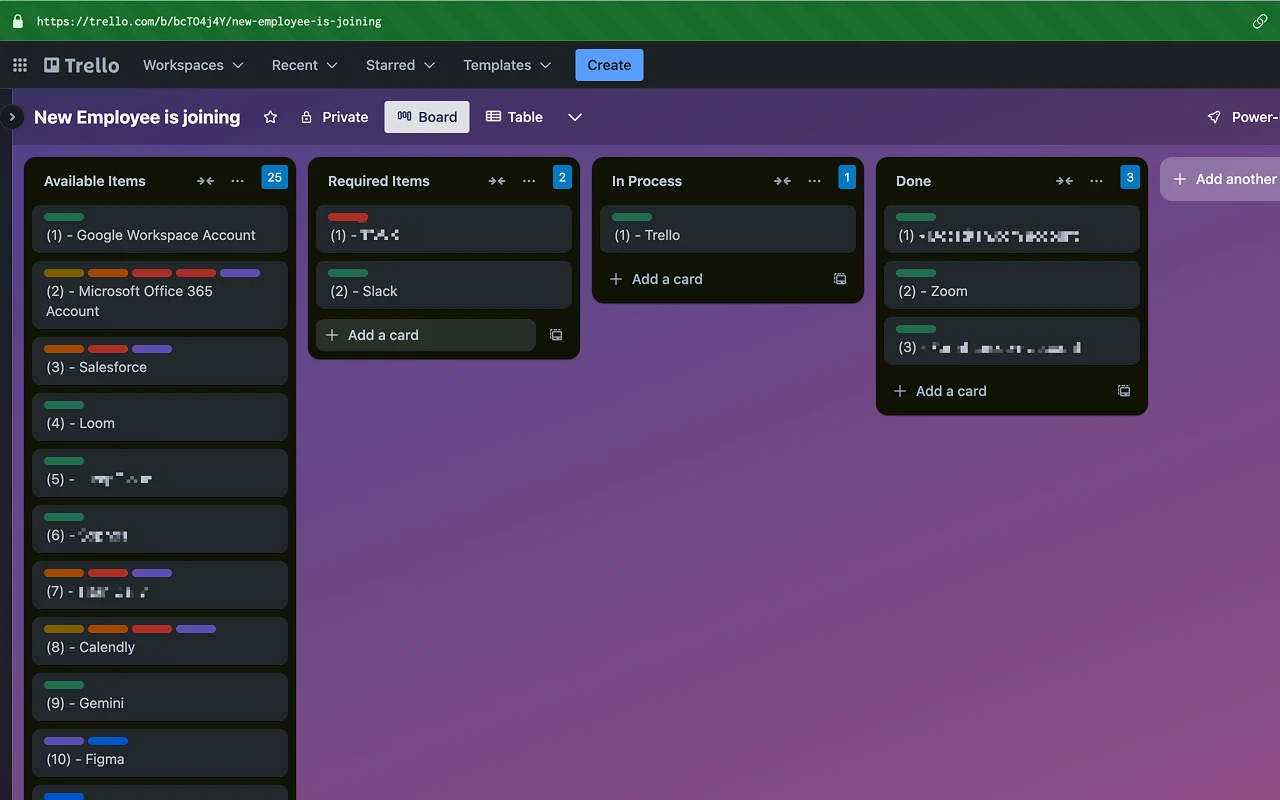
Small, focused upgrades that make Trello boards easier to scan and talk about, without adding clutter.
Features
- Card numbering: clear, consistent numbers on every card, such as
(3) - #44321, so you can refer to work quickly. - Copy list items: one click copies all cards in a list, with titles and Trello links. Handy for stand-ups, handoffs and notes.
- Card count: the number of cards in each list header, so you can see the load at a glance.
- Wider card view: more room for long checklists, comments and history.
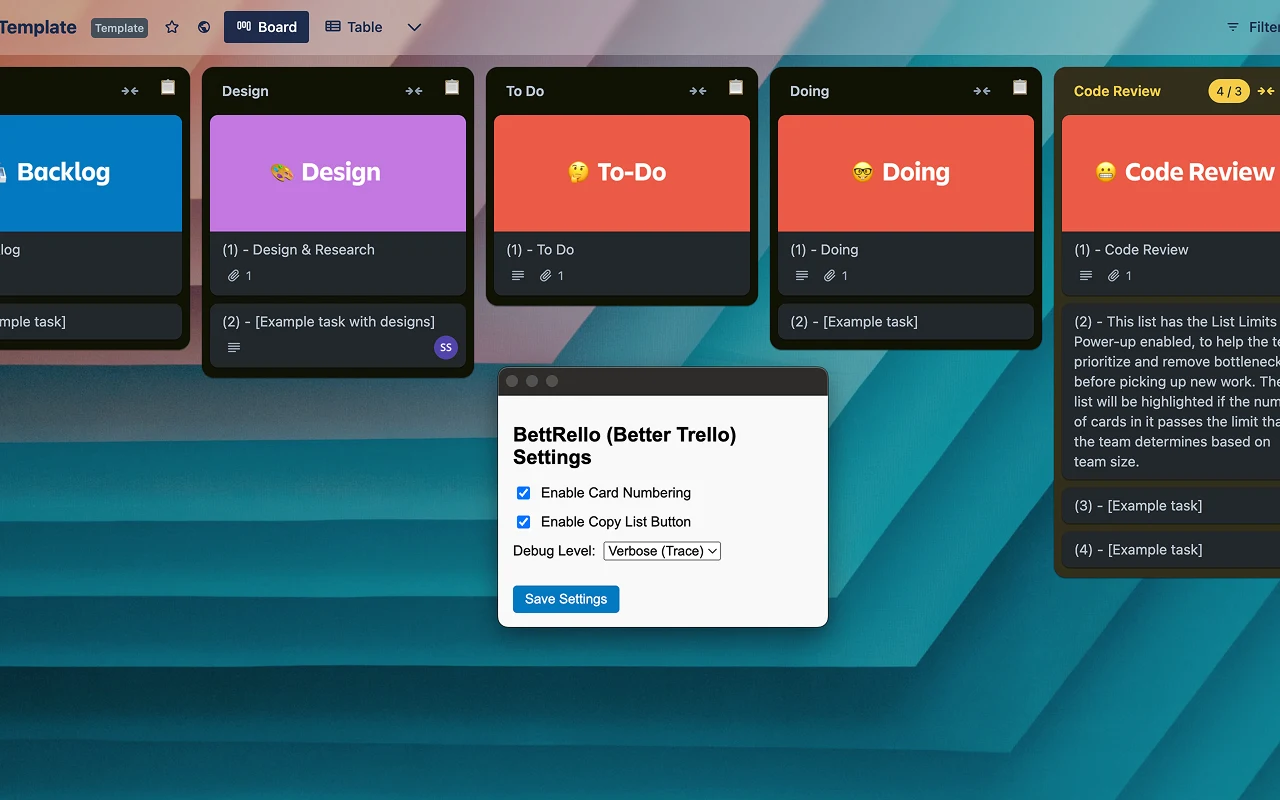
- You choose: turn each feature on or off from the extension's popup.
How to use it
- Install BettRello from the Chrome Web Store.
- Open any Trello board. Numbers and counts appear right away.
- Click the BettRello icon to choose which features are on.
Changelog
2.4.12 (July 2025)
- Fixed the wider card view after a change in Trello's card layout.
Permissions, in plain words
- Read and change your data on trello.comTo add card numbers, list counts, the copy button and the wider card view on your boards. It runs only on trello.com.
- StorageTo remember which features you turned on, synced through your Chrome profile.
- Clipboard (when you click Copy)To copy a list's card titles and links when you ask it to.
Private by design. BettRello runs entirely in your browser and doesn't collect or send any data. Read the privacy policy.
Questions or ideas? support@beast-web.com