 BeastWeb
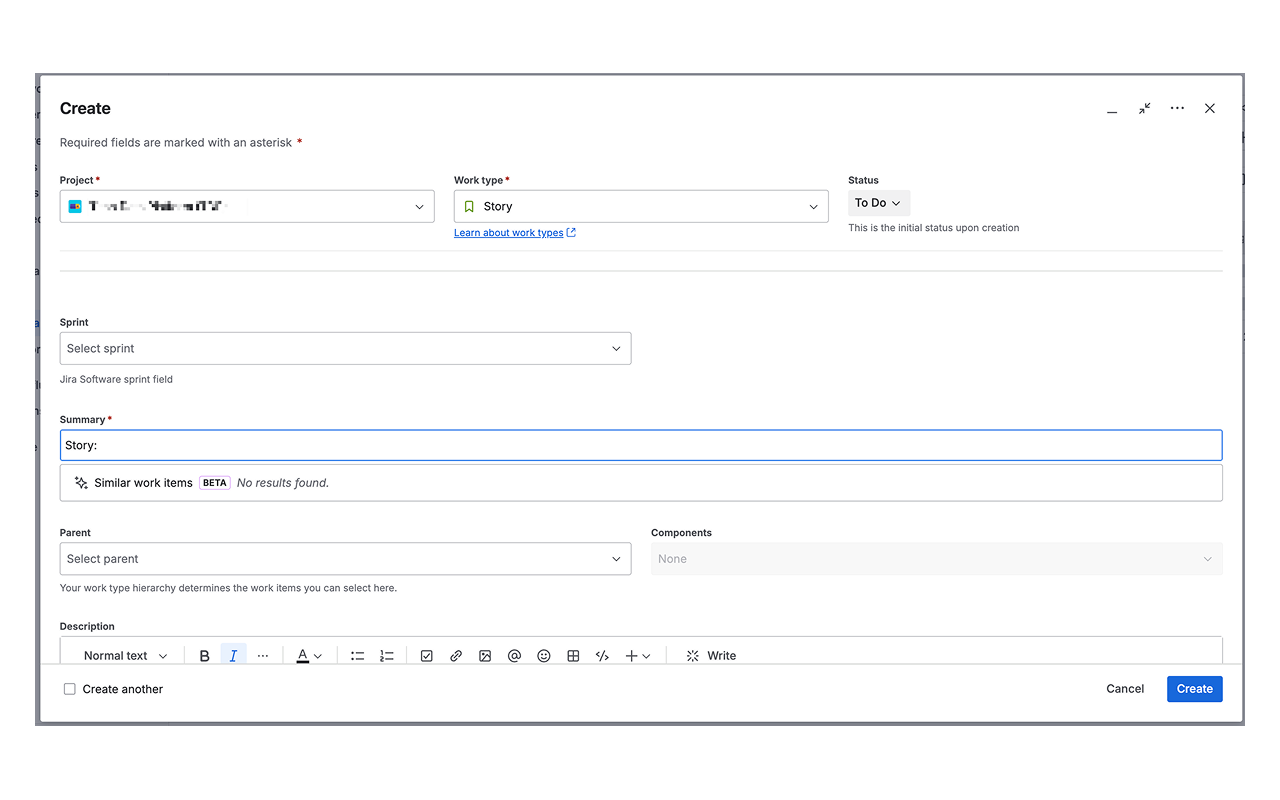
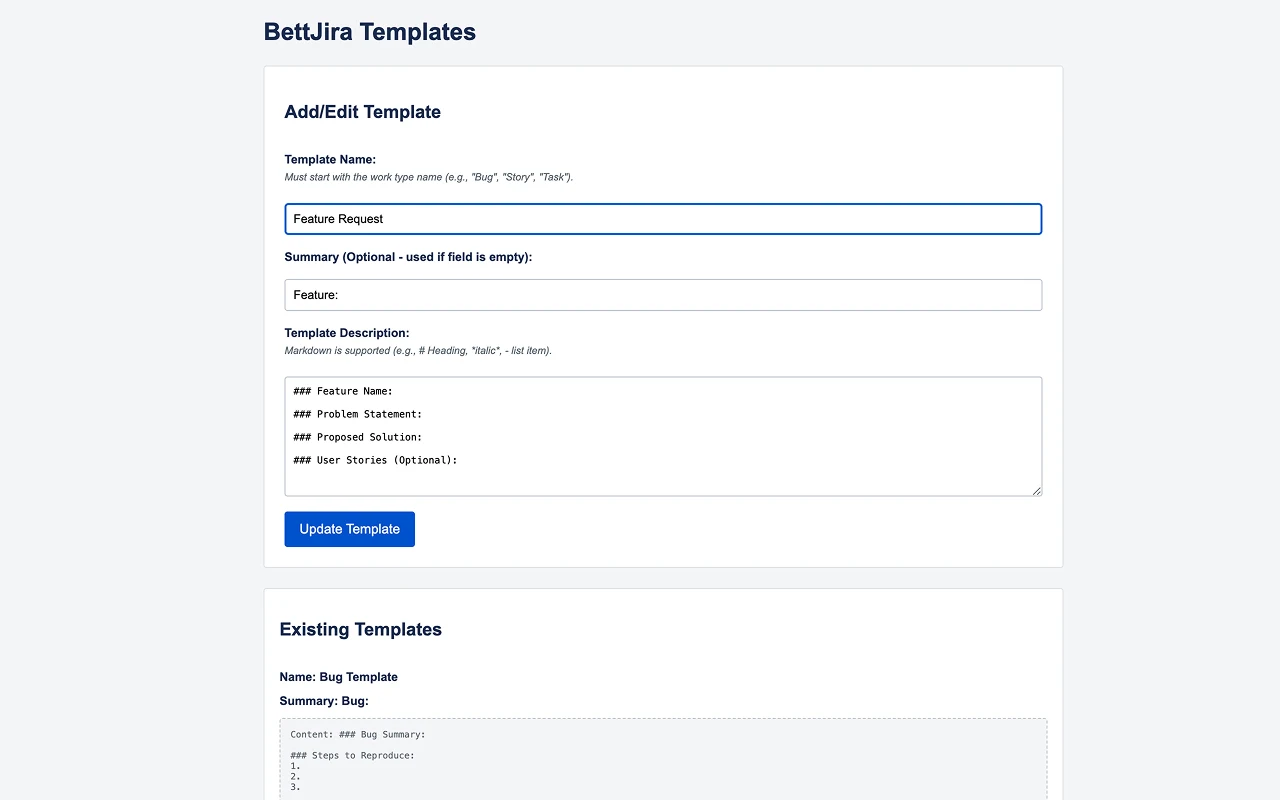
Stop copying and pasting the same text into every Jira ticket. When you open Jira's Create dialog, BettJira detects the issue type and fills in the summary and description with your template. Switch the type and it asks before replacing your text, so you never lose work by mistake.
Features
- Automatic templates for each issue type, including Jira's new "Create work item" dialog.
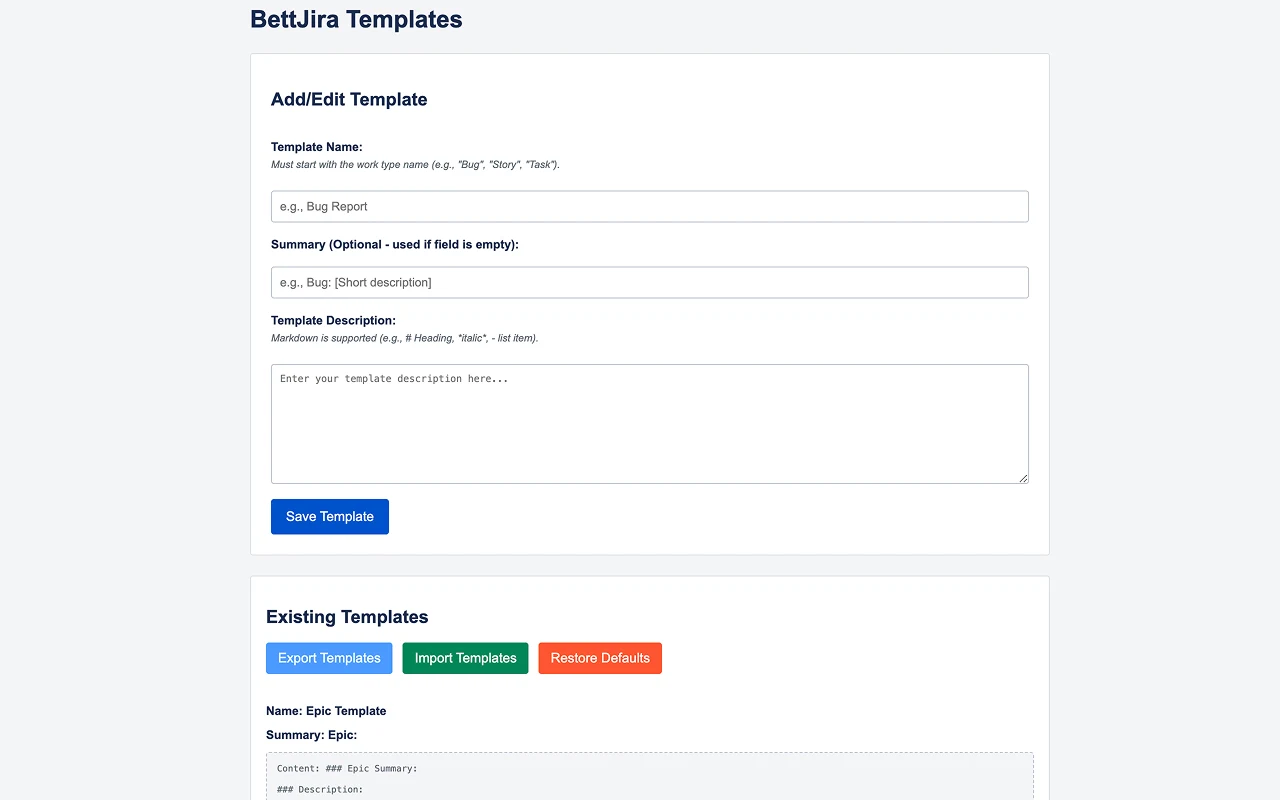
- Your templates, your way: create, edit and manage as many as you like on the options page.
- Import, export and restore: share template sets with your team in seconds.
- Safe by default: a confirmation before anything is overwritten.
- Ready out of the box with templates for Epics, Features, Stories, Bugs and Tasks.
- Dense layout to see more of the dialog with less scrolling.
- Markdown in templates is pasted as real formatting: headings, lists and rules.
How to use it
- Install BettJira from the Chrome Web Store.
- Open the extension's options to review or edit the templates.
- In Jira Cloud, click Create. Pick an issue type and your template appears.
Changelog
1.159.0 (August 2026)
- Works with Jira's redesigned "Create work item" dialog.
- Reads the work type in any language.
- Fixes for the summary being cleared, for Firefox, for unformatted Markdown and for duplicated inserts.
1.151.0 (August 2025)
- Empty template summaries are applied when you choose Overwrite.
1.148.0 (August 2025)
- New Dense Layout; fixed a conflict with Jira's minimise button.
1.88.0 (July 2025)
- Template import, export and restore; new default templates.
Permissions, in plain words
- Read and change your data on *.atlassian.netTo detect Jira's Create Issue dialog and fill in your template. It runs only on Jira Cloud pages.
- StorageTo save your templates and settings in your browser.
- Active tab and scriptingTo apply a template on the Jira page you are working in.
Private by design. BettJira runs entirely in your browser and doesn't collect or send any data. Read the privacy policy.
Questions or ideas? support@beast-web.com